
Nevquo Pixel › WebP to JPG or PNG
You saved an image from a website and it came down as WebP, and now your editor, document or upload form will not take it. This page converts it to JPG or PNG in your browser, so the file stays on your device.
How to convert WebP to JPG or PNG
- Choose your target. The switch above the drop area says JPG or PNG. JPG is the default.
- Add your WebP files. Drop them or choose a folder.
- Download. You get the same file names with a
.jpgor.pngending.
JPG or PNG: which should you pick?
Pick JPG for photographs. The files are small and open everywhere. JPG has no transparency, so any transparent area in your WebP is filled with white. You can change that background colour in Settings.
Pick PNG when the image has transparency, sharp text or flat colours, or when you plan to edit it further. The PNG conversion here is lossless: every pixel of the decoded WebP is kept.
What to expect from the conversion
Converting does not bring back detail. If the WebP was already saved with strong compression, the JPG or PNG will contain the same softness, just in a different container. A PNG made from a lossy WebP can also be much larger than the WebP, because PNG stores every pixel exactly. That is not a bug; it is the price of an exact, universally accepted copy.
The default JPG setting is Nearly identical, which aims for a result that looks the same as the decoded WebP. Use Settings if you want a smaller or larger file.
Animated WebP files are not converted. They are left as they are and flagged, because a JPG or PNG would keep only one frame.
Why WebP files turn up everywhere
Websites serve WebP because it is smaller than JPEG and PNG. When you right-click and save, you often get the WebP file instead of the original. Changing the browser is not needed: converting it back takes a few seconds, and doing it here means the image is not sent to a stranger's server.
A real before and after
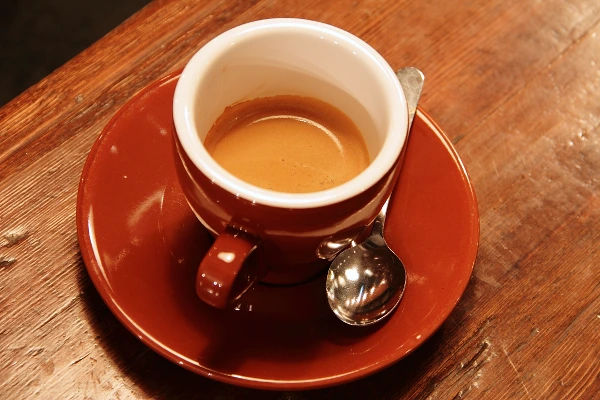
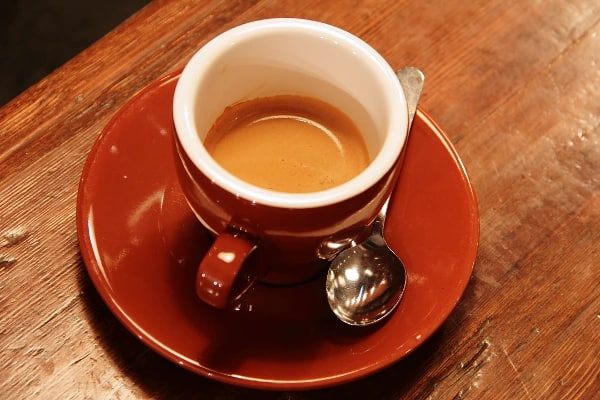
We converted one WebP photograph twice with this page: once to JPG (the default) and once to PNG. The picture below is the JPG.
| File | Setting | Before | After | Saved | Visual score |
|---|---|---|---|---|---|
| coffee.webp | to JPG | 70 KB WebP | 55 KB JPEG | −21% | 99.4 |
| coffee.webp | to PNG | 70 KB WebP | 378 KB PNG | +443% | identical |
Test images: coffee: photo by Rachel Michetti (CC0). The photos come from the public-domain and CC0 images bundled with scikit-image, at their original size. It was saved as WebP at quality 92 for this test. Measured with the Nevquo Pixel engine, version 1.2.0, on 2026-10-10. Check it yourself: coffee.webp (original). Results (coffee.jpg, coffee.png).
Frequently asked questions
Why is my PNG so much bigger than the WebP?
PNG stores every pixel without loss, while a lossy WebP discards detail to be small. The PNG is an exact copy of the decoded picture, not a smaller one.
What happens to transparent areas when I choose JPG?
JPG cannot be transparent, so those areas become white by default. Choose PNG to keep transparency, or change the background colour in Settings.
Does converting restore lost quality?
No. A conversion cannot recreate detail that the WebP no longer contains.
Can I convert many WebP files at once?
Yes. There is no limit, and you can download everything as a ZIP.
Is my image uploaded?
No. Everything is decoded and re-encoded inside your browser.