
Nevquo Pixel › Convert to AVIF
AVIF is one of the most efficient image formats for photographs on the web. This page encodes your images to AVIF on your own device and checks each result against the original, so you get the small size without a surprise in quality.
How to convert an image to AVIF
- Add your images. JPEG, PNG, WebP, HEIC, TIFF and BMP files can all be converted.
- Wait a little longer than usual. AVIF is the slowest of the common formats to encode. A phone photo can take several seconds, and larger batches take a few minutes on an ordinary laptop.
- Check the score and download. Each result shows how close it is to your original. Download single files or a ZIP.
Why AVIF files are so small
AVIF is based on the AV1 video codec, which was designed to carry the same picture in fewer bits than older codecs. For photographs with soft gradients, such as skies, skin and out-of-focus backgrounds, it often keeps a convincing look at a much lower file size than JPEG. It also supports transparency and high bit depths.
The gain is not guaranteed for every picture. Fine noise and sharp text can eat into the advantage. That is why the table below shows measured results instead of a promise.
Where AVIF works, and where it does not
Current versions of Chrome, Edge, Firefox and Safari display AVIF, so it is a reasonable choice for images on your own website. It is a poor choice for files you send to other people. Many image editors, email programs, messaging apps and upload forms still cannot open AVIF, and thumbnails may not show in older file managers. For that reason, keep your original files and use AVIF as a delivery format.
If you need the widest compatibility, WebP is the safer middle ground.
Speed and quality settings
The default encodes at a fast speed so batches finish in reasonable time. If you care about every last kilobyte, open Settings and switch Speed to Smallest. That takes two to three times longer and gives a slightly smaller file. Choose Nearly identical on this page when you want a more cautious visual target.
A real before and after
We converted two JPEG photographs to AVIF with the settings on this page. The picture below is the first photo, shown here as AVIF if your browser supports it.
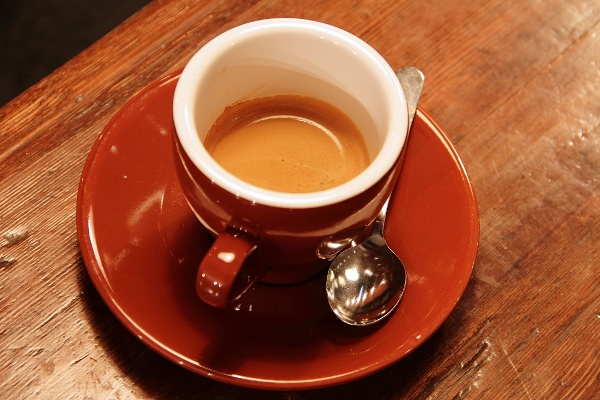
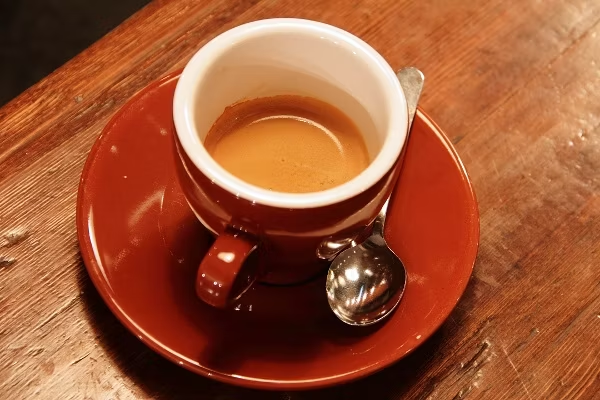
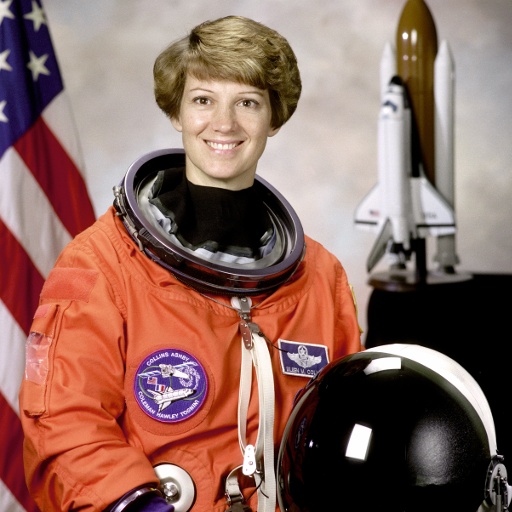
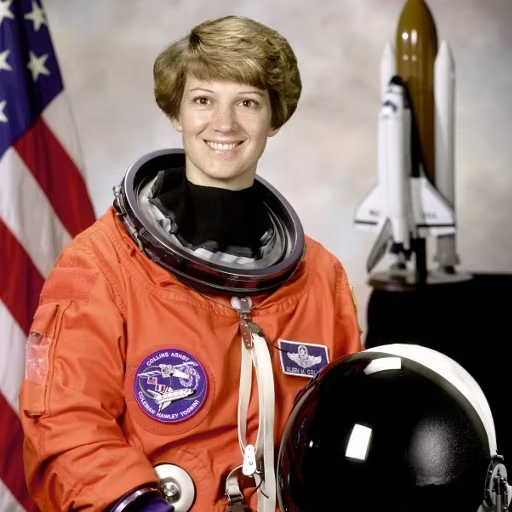
| File | Before | After | Saved | Visual score |
|---|---|---|---|---|
| coffee.jpg | 102 KB JPEG | 37 KB AVIF | −63% | 98.8 |
| astronaut.jpg | 97 KB JPEG | 26 KB AVIF | −74% | 98.9 |
Test images: coffee: photo by Rachel Michetti (CC0); astronaut: NASA portrait of Eileen Collins (public domain). The photos come from the public-domain and CC0 images bundled with scikit-image, at their original size. Both were saved as JPEG at quality 95 for this test. Measured with the Nevquo Pixel engine, version 1.2.0, on 2026-10-10. Check it yourself: coffee.jpg (original), astronaut.jpg (original). Results (coffee.avif, astronaut.avif).
Frequently asked questions
Is AVIF smaller than WebP?
For photographs it often is, but the size you get depends on the picture. Compare your own images; the Compare button shows the result next to the original.
Why is the AVIF conversion slow?
AVIF is expensive to compute. The page uses a fast preset by default, and you can trade speed for a slightly smaller file in Settings.
Can I open AVIF files everywhere?
No. Current browsers can, but many editors, email programs and upload forms cannot. Use AVIF for your own website and keep a JPEG or WebP version for sharing.
Does AVIF keep transparency?
Yes. Transparent PNG files convert with their transparent areas intact.
Are my files uploaded?
No. The encoder runs in your browser, and your images stay on your device.